
Run the whole worksite from one app
Crew time, tasks, equipment and safety. Keep your field and office teams on the same page, wherever the job takes you.
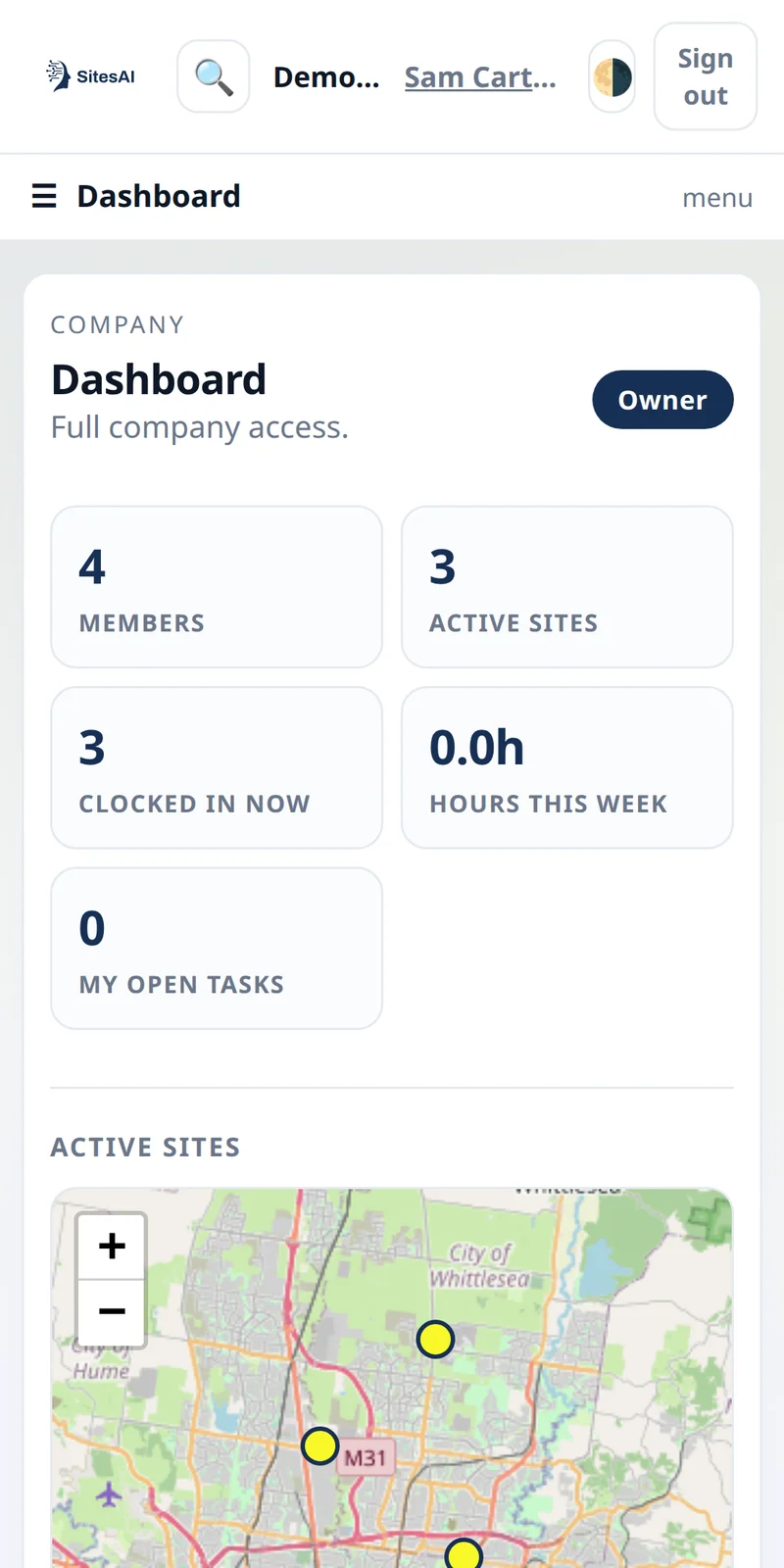
Your operation.
In your pocket.
What is the SitesAI App?
The SitesAI App is work-management software for civil and earthmoving crews. It keeps the whole job in one place: leads, quotes and won jobs; rostered shifts and clock-in; signed dockets; a site diary of notes, photos and voice notes on any record; inductions and compliance documents with expiry dates; equipment, pre-starts and maintenance; guided flows that walk a worker through a procedure step by step; and a customer portal where a client can accept quotes and sign dockets. It runs in a browser at app.sitesai.net and as iOS and Android apps, in six languages — English, Spanish, Portuguese, Arabic, Chinese and Farsi — each person in their own.
What it costs (USD)
- Free for up to 10 licences. A licence is any active team member or active site, and every feature is included.
- Past 10 licences, every active licence is US$5 per month, including the first 10, so 11 licences is US$55 a month. The yearly price is US$50 per licence.
- AI add-on: a flat US$38 per month, or US$380 per year, for the whole company. It switches on the AI assistant, automations, and MCP and API access, including the 148-tool AI connector for Claude and ChatGPT.
Paid plans carry a 30-day money-back guarantee. Current details are on the pricing page.
One app for the whole operation
Organise the day, capture the work and keep your equipment ready. All from one app.
01People & daily work
Work-hour tracking
Start/finish times, breaks, start & finish photos, QR sign-in and digital signatures — with timesheet export.
Tasks & scheduling
Assign tasks by person and project, track status, and view work on a day / week / month calendar.
02Sites & equipment
Sites & jobs dashboard
A live map and list of active jobs with one-tap call, text, email, site sign-in and directions.
Equipment & assets
A full asset register by category with serials, transfers between users and remove-from-site actions.
03Readiness & safety
Maintenance & pre-starts
Service intervals by machine hours plus recurring pre-start and daily inspection checklists.
Safety, SWMS & SOPs
Inductions, Safe Work Method Statements and standard operating procedures tied to roles. More in the field guides.
The SitesAI App, by feature or by role
Time tracking and clock-in
Clock-in on site with start and finish photos, the location of the tap and two signatures. Works with no signal.
Digital dockets
One docket per truck, signed by the customer on their own phone from a QR code, out as a branded A4 PDF.
Site compliance documents
Licences, insurances and inductions per site, with expiry dates and one report of who is not compliant.
Guided flows: digital SOPs
A procedure becomes a step-by-step walk-through on the phone, and each step writes a real record.
Equipment, pre-starts and maintenance
An asset register with serials, pre-start checklists, service intervals by machine hours and a maintenance history.
Quotes, variations and progress claims
The quote the client accepts becomes the scope. Variations are approved by link, and the claim reports what was done.
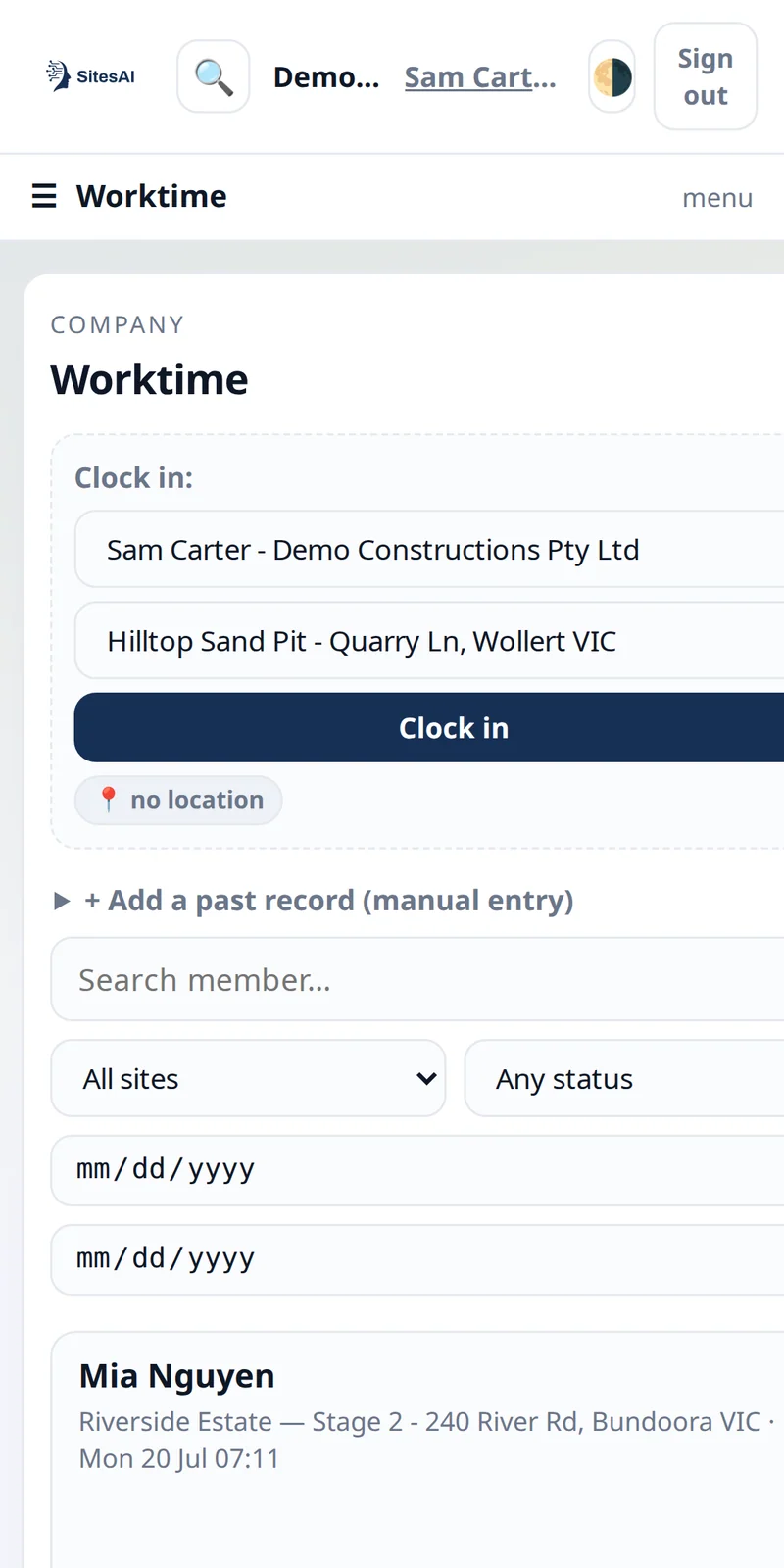
Hours captured on site, not chased on paper
Crews clock in with a photo and a signature; supervisors approve and export. Geolocation and week numbering mean the office sees who worked, where, and for how long — without the Monday-morning paperwork chase. The same record carries the day's signed dockets.
- Start/finish photos & signatures
- Supervisor approval & comments
- One-click timesheet export
From the cab to the back office
Jobs, people, plant and paperwork live in one platform, and everyone sees only their part of it. Build your own roles on top of owner, manager and worker. Give a client their own login to accept quotes and sign dockets. Bring a subcontractor onto one site and they see only what you offered them.
- Sales & quoting catalog with rates
- Accounts & contacts with click-to-call
- Geotagged photo gallery from the field
- Role-based permissions & approvals
What you can check before you sign up
There are no testimonials and no claimed savings on this page. These are facts you can check for yourself before you create an account.
- It is free for up to 10 licences, with every feature included. A licence is any active team member or active site.
- The prices are published. Every plan and its price is on the pricing page, in USD.
- 30-day money-back guarantee on any paid plan. If it is not right for your team, tell us and we refund it, and you keep your data.
- You sign in with Google, Microsoft or Apple. We never see your password.
- The SitesAI App is in both app stores. App Store for iOS and Google Play for Android, and it runs in a browser.
- The AI connector is listed in the official MCP Registry as
net.sitesai/app. You can look it up in the registry. - You can delete your account yourself, in the app under Settings. The support page says what is deleted and what is kept.
Questions about the SitesAI App
How much does the SitesAI App cost?
It is free for up to 10 licences, with every feature included. A licence is any active team member or active site. Once you pass 10, every active licence is US$5 per month, including the first 10, so 11 licences is US$55 a month. The yearly price is US$50 per licence. The optional AI add-on is a flat US$38 per month, or US$380 per year, for the whole company. Prices are in USD.
Is the SitesAI App on iPhone and Android?
Yes. It is on the App Store for iOS and on Google Play for Android, and it runs in a browser at app.sitesai.net. There is no separate office version and field version: the crew and the office use the same app.
Does clock-in work with no mobile signal?
Yes. With no connection, the clock-in tap is stored on the phone and sent when coverage returns, and the server applies the same rules it applies to a live tap. More in clock-in that works where there is no signal.
Can clients and subcontractors use the SitesAI App?
Yes. A client can have their own login to see their jobs, accept quotes and sign dockets. A subcontractor you bring onto one of your sites sees only what you offered them.
Does the SitesAI App replace accounting software?
No. Progress claims in the app are reports of the work done against the contract. Invoicing, payments and the ledger stay in your accounting system.
Is the SitesAI App available in languages other than English?
Yes. English, Spanish, Portuguese, Arabic, Chinese and Farsi, in every plan including the free one. Each person picks their own under Settings → Language; the company's country sets the currency, tax label and week start. Emails and PDFs are in English for now.
Can Claude or ChatGPT work with the SitesAI App?
Yes. With the AI add-on, the App's MCP connector gives an AI assistant 148 tools across leads, quotes, jobs, shifts, dockets, documents and more. Owners and managers choose whether a connection is read-only or read-and-write. Setup and the full tool list are on the AI connectors page.
Get the SitesAI app
Free to start. Add your crew, your plant and your projects, and run the whole site from your pocket.