
Guides Earthworks takeoff How-to
How to calculate cut and fill, with a worked example
The grid method by hand, step by step: depths, each cell, mixed cells, then shrink, swell and truck loads. Plus the cross-section method for roads.
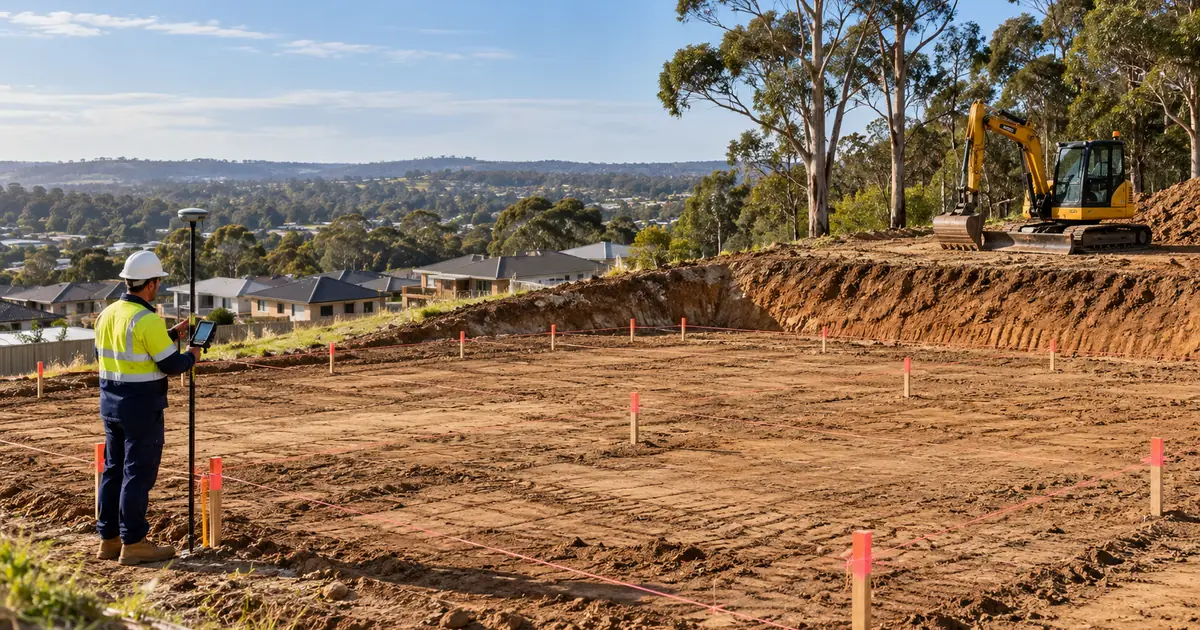
To calculate cut and fill, you need the existing level and the design level at a set of points. Depth at each point is existing minus design: positive is cut, negative is fill. Volume is area × average depth, worked out cell by cell on a grid, or section by section along a road.
This guide does one small job by hand so you can see every number. It is a 30 m × 20 m house pad on a sloping block, set at a finished level of 100.50 m. The same numbers are loaded as the example in our free cut and fill calculator, so you can check each step there.
Step 1 — Get the existing and the design levels
You need two surfaces:
- Existing ground: spot levels from a feature survey, or levels read off the contours on the plan. If the job includes a topsoil strip, take the strip off first and measure from the stripped surface.
- Design: the finished level of the pad, slab or road. A flat pad is one number. A pad with falls has a level at one corner and a grade in each direction.
Our example pad has a flat design level of 100.50 m.
Step 2 — Lay a grid and work out the depth at every point
Put a grid over the area. Here it is 10 m × 10 m: four points along each row and three rows, which makes six cells of 100 m² each.
Existing levels (m):
| A | B | C | D | |
|---|---|---|---|---|
| Row 1 | 101.20 | 100.90 | 100.60 | 100.40 |
| Row 2 | 100.95 | 100.70 | 100.40 | 100.15 |
| Row 3 | 100.70 | 100.45 | 100.20 | 99.90 |
Depth = existing − 100.50 (m). Plus is cut, minus is fill:
| A | B | C | D | |
|---|---|---|---|---|
| Row 1 | +0.70 | +0.40 | +0.10 | −0.10 |
| Row 2 | +0.45 | +0.20 | −0.10 | −0.35 |
| Row 3 | +0.20 | −0.05 | −0.30 | −0.60 |
The high corner (1A) is all cut and the low corner (3D) is all fill. Somewhere in between, the depth passes through zero. That is the cut/fill line, and it crosses four of the six cells.
Step 3 — Work out each cell
Each cell takes the depths at its four corners.
All cut, or all fill: volume = cell area × the average of the four depths.
Cell A1–B2 has corners +0.70, +0.40, +0.45 and +0.20. All are cut, so: cut = 100 × (0.70 + 0.40 + 0.45 + 0.20) ÷ 4 = 100 × 0.4375 = 43.75 m³.
Mixed, where the cut/fill line crosses the cell: averaging the four depths would net the cut against the fill and hide both. Split them instead:
- cut = (area ÷ 4) × (sum of the cut depths)² ÷ (sum of the cut depths + sum of the fill depths)
- fill = (area ÷ 4) × (sum of the fill depths)² ÷ (the same total)
Use the fill depths without their minus sign.
Cell B1–C2 has corners +0.40, +0.10, +0.20 and −0.10. The cut depths add to 0.70, the fill depth is 0.10 and the total is 0.80:
- cut = 25 × 0.70² ÷ 0.80 = 25 × 0.49 ÷ 0.80 = 15.31 m³
- fill = 25 × 0.10² ÷ 0.80 = 0.31 m³
Check: cut − fill = 15.00, which is the same as area × average depth (100 × 0.15). The split moves nothing; it only stops the cut and fill cancelling out.
Step 4 — Add up the cells
| Cell | Corner depths (m) | Cut (m³) | Fill (m³) |
|---|---|---|---|
| A1–B2 | +0.70 +0.40 +0.45 +0.20 | 43.75 | 0.00 |
| B1–C2 | +0.40 +0.10 +0.20 −0.10 | 15.31 | 0.31 |
| C1–D2 | +0.10 −0.10 −0.10 −0.35 | 0.38 | 11.63 |
| A2–B3 | +0.45 +0.20 +0.20 −0.05 | 20.07 | 0.07 |
| B2–C3 | +0.20 −0.10 −0.05 −0.30 | 1.54 | 7.79 |
| C2–D3 | −0.10 −0.35 −0.30 −0.60 | 0.00 | 33.75 |
| Total | 81.06 | 53.56 |
That is about 81 m³ of cut (bank volume, the ground as it sits) and 54 m³ of fill (compacted volume, as placed and rolled).
Step 5 — Convert to what the trucks carry
Cut minus fill is 27.5 m³, but that is not what leaves site. Dug soil swells in the truck, and compacted fill takes more soil than its own volume. For natural clay, use a swell of about 1.33 (loose ÷ bank) and a shrink of about 0.90 (compacted ÷ bank):
- Cut needed to make the fill = 53.56 ÷ 0.90 = 59.5 m³ bank.
- Surplus = 81.06 − 59.5 = 21.5 m³ bank. The site is long.
- To cart away = 21.5 × 1.33 = 28.7 m³ loose. At 10 m³ a load, that is 3 truck loads.
If the pad went in about 34 mm higher, at 100.534, the cut would make exactly the fill and nothing would leave site. That is the balance level, and the calculator finds it for you. The factors for other materials are in our bulking and shrinkage table.
Step 6 — Check the answer
- Net check: cut − fill must equal the grid area × the average of all the cell averages. Here, 81.06 − 53.56 = 27.5 m³, which matches.
- Grid size: halve the grid where the ground changes quickly and see whether the answer moves. If it moves a lot, the grid was too coarse.
- What is outside the grid: batters, footings, service trenches and the topsoil strip are separate quantities. A pad cut into a slope always has a cut batter on the high side and a fill batter on the low side.
Cross-sections for roads and drains
For long, narrow work, measure the cut area and fill area on a cross-section at regular chainages. Between two sections, volume = (area at the first + area at the second) ÷ 2 × the distance between them. This is the average end area method.
Example: five sections 20 m apart.
| Chainage (m) | Cut area (m²) | Fill area (m²) |
|---|---|---|
| 0 | 0.0 | 4.2 |
| 20 | 1.5 | 3.1 |
| 40 | 3.8 | 1.2 |
| 60 | 6.0 | 0.0 |
| 80 | 4.4 | 0.6 |
Cut = (0 + 1.5) ÷ 2 × 20 + (1.5 + 3.8) ÷ 2 × 20 + (3.8 + 6.0) ÷ 2 × 20 + (6.0 + 4.4) ÷ 2 × 20 = 15 + 53 + 98 + 104 = 270 m³. Fill, done the same way, is 134 m³.
Average end area slightly overstates the volume where the section shape changes sharply. The prismoidal formula, V = L ÷ 6 × (A1 + 4 × Am + A2), is more exact, but it needs a measured section halfway between each pair. In practice, closer sections do the same job.
When to stop doing it by hand
A 3 × 4 grid is a teaching example. A real subdivision lot has hundreds of spot levels and contours, a pad with batters, and a design with falls, so each recount takes an afternoon. That is the work takeoff software does. SitesAI Estimate builds the existing surface from the contours and spot levels on your PDF, DWG or DXF plan, adds the design platform and its batters, and recalculates the cut and fill as you draw. You check the result in 3D, and the quantities go into a priced estimate. The real workflow is in cut and fill from a PDF plan.
If you would rather keep a spreadsheet, earthworks estimate in Excel sets one up with strip, cut, fill, haul and compaction lines.
Questions people ask
What is the formula for cut and fill?
Volume = area × average depth, where depth at each point = existing level − design level (positive is cut, negative is fill). On a grid, apply it cell by cell. Where the cut/fill line crosses a cell, split it: cut = (area ÷ 4) × (sum of cut depths)² ÷ (sum of all depths, ignoring sign), and fill the same way.
Which method is the most accurate?
For a site with spot levels, the grid method on a small grid (5 m or less where the ground changes quickly). For a road or drain, cross-sections at close spacing. Both get closer to the real surface as the spacing shrinks. Takeoff software builds a surface from every contour and spot level instead of a coarse grid.
Is cut minus fill the amount to cart away?
No. Cut is measured in bank volume and fill in compacted volume. Divide the fill by the shrink factor to get the cut needed to make it, subtract that from the cut, then multiply the surplus by the swell factor to get the loose volume the trucks carry.
Can I do this in Excel?
Yes. Put the existing and design levels in two grids, a depth grid beside them, and one formula per cell for cut and one for fill. Our Excel guide walks through a full estimate sheet, and the free calculator does the same sums in a browser.
Try it on your next plan set — free.
Sign in with Google or Microsoft, add a PDF or DWG/DXF, and see cut and fill in minutes. Pro is US$39 per user per month, the AI plan has a free 14-day trial; cancel any time. What SitesAI Estimate does.