
Guides Running the job Feature
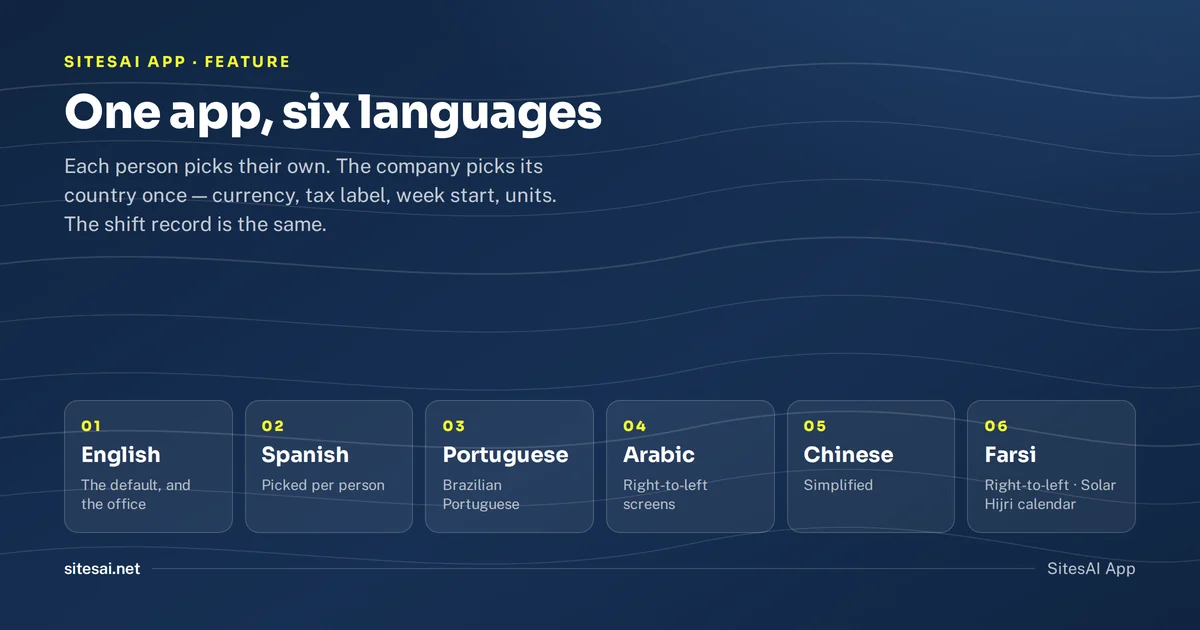
The SitesAI App now works in six languages
English, Spanish, Portuguese, Arabic, Chinese and Farsi, picked per person. What is translated, what is not yet, and how a wrong line gets fixed.
Ask around a civil crew in Australia, the Gulf, or the Americas and you will hear more than one language on the same site. The app the office chose is almost always in English. The result is predictable: the people who read English use it, and everyone else gets a paper timesheet and a phone call. The record of the day is half digital, and the half that is missing is the half that was on the machines.
From today the SitesAI App works in six languages — English, Spanish, Portuguese, Arabic, Chinese and Farsi — and each person picks their own. This is what that means in practice, what is translated and what is not, and how a wrong translation gets fixed.
How does a worker get the app in their language?
They do nothing. The app opens in the language the phone or browser is already set to. If someone's phone is in Spanish, the sign-in page is in Spanish, the dashboard is in Spanish, and so is the clock-out button.
If the phone's language is not one of the six, the app is in English. Anyone can change it at any time under Settings → Language, and there is a language picker at the bottom of the sign-in page. The choice is saved to the account, so it follows the person to another phone or a shared tablet.
Language is per person, not per company. A foreman runs the day in English. The operator on the excavator clocks in, records what the machine did, signs the shift and walks through a guided flow in Spanish or Arabic. The office sees one shift record. Nobody translates anything by hand, and nobody is asked to switch the whole company to one language.
What is translated?
Everything a person on site touches: the sign-in and welcome pages, the home screen, My shift and clock-in (including the page the phone falls back to with no signal), My flow with every step card, tasks, the calendar, documents and inductions, the quick capture button, use-item and working-for, the tag landing page when a phone is tapped on a site tag, both signing pages, and Settings.
Arabic and Farsi are written right-to-left, so the whole screen is laid out right-to-left for them: the menu opens from the right, lists and forms mirror, and the map stays the right way round.
What is never translated
Your own words. Operation types, the names of your procedures and their steps, roles, document types, site and item names, your email templates — anything you typed into the app stays exactly as you typed it. A procedure written in English is shown in English to an operator working in Spanish, because it is your procedure and you signed off on its wording. The app translates its own labels and buttons, never your data.
What does the country setting do?
Language is personal; the way a company counts is not. Under Settings → Country & formats an admin picks the country the company does business in, once. From that one choice, everyone in the company sees:
- money in the company's currency, with the right symbol and grouping;
- the right tax label — GST in Australia and New Zealand, VAT in the UK and the Gulf, sales tax in the United States;
- the first day of the week on the calendar;
- metric or imperial units where the app itself names a unit;
- the local calendar where it differs — an Iranian company sees Solar Hijri dates and a week that starts on Saturday.
Dates and times still follow the company's timezone, as they always have. New companies get a sensible default from their timezone; the setting is there for when the default is wrong. An AI assistant connected through the AI connector is told the same country, currency and tax label, so it quotes in your money.
What is still in English?
We would rather say this plainly than let you find it. The screens are translated. Emails, push notifications and the PDFs the app produces — dockets and timesheets — are still in English, and so are the office pages: leads, quotes, reports and the company settings beyond language and country. That is the next part of the work, and it will follow each person's language the same way the screens do. The guides on this blog are in English. The rest of sitesai.net is in all six languages: Spanish at sitesai.net/es, Portuguese at /pt, Arabic at /ar, Chinese at /zh and Farsi at /fa.
How are the translations made, and how does a wrong one get fixed?
They are generated by AI against a construction glossary — so a docket is a docket, a prestart is a prestart and a progress claim is a progress claim in every language, not a dictionary's best guess — then machine-checked so that every placeholder, count and button survives, and checked by people as we go. We are not going to pretend that is the same as a human translator who has stood on a site in Monterrey or Riyadh. It is a very good start, and it is a start that fixes itself.
Under Settings → Language there is a Report a wrong translation link. It opens an email to us with the page you were on already filled in. A correction is checked by a person and published to everyone who uses that language; it is never overwritten by the next automatic pass.
What does it cost?
Nothing extra. Every language is in every plan, including the free plan for up to ten licences. If your crew has been running on paper because the app was in the wrong language, start free and set your phone's language before you sign in — or tell the crew to. The app does the rest.
Questions people ask
Do I pay extra for other languages?
No. Every language is in every plan, including the free one. There is no language add-on.
Can two people in the same company use different languages?
Yes. Language is per person, not per company. A foreman in English and an operator in Spanish see the same shift, the same task and the same docket, each in their own language.
Will my customer see the docket PDF in their language?
Not yet. The screens are translated; emails and the PDFs the app sends — dockets, timesheets — are still in English. That is the next part of the work.
What if a translation is wrong?
Under Settings → Language there is a Report a wrong translation link. It opens an email to us with the page you were on already filled in; corrections are checked by a person and published to everyone.
Is the website translated too?
Yes. sitesai.net is in the same six languages — Spanish at sitesai.net/es, Portuguese at /pt, Arabic at /ar, Chinese at /zh and Farsi at /fa. The guides on this blog are in English.
Run the job from one app — free up to 10 licences.
Leads, jobs, shifts, dockets, inductions and SOP flows for a small civil crew, on web, iOS and Android. What the SitesAI App does.