
Guides Comparisons Kubla Cubed
Kubla Cubed vs SitesAI Estimate: which suits your jobs
A dated, sourced comparison of two earthworks takeoff tools — a Windows desktop package with a genuinely free edition, and a browser tool with AI and export.
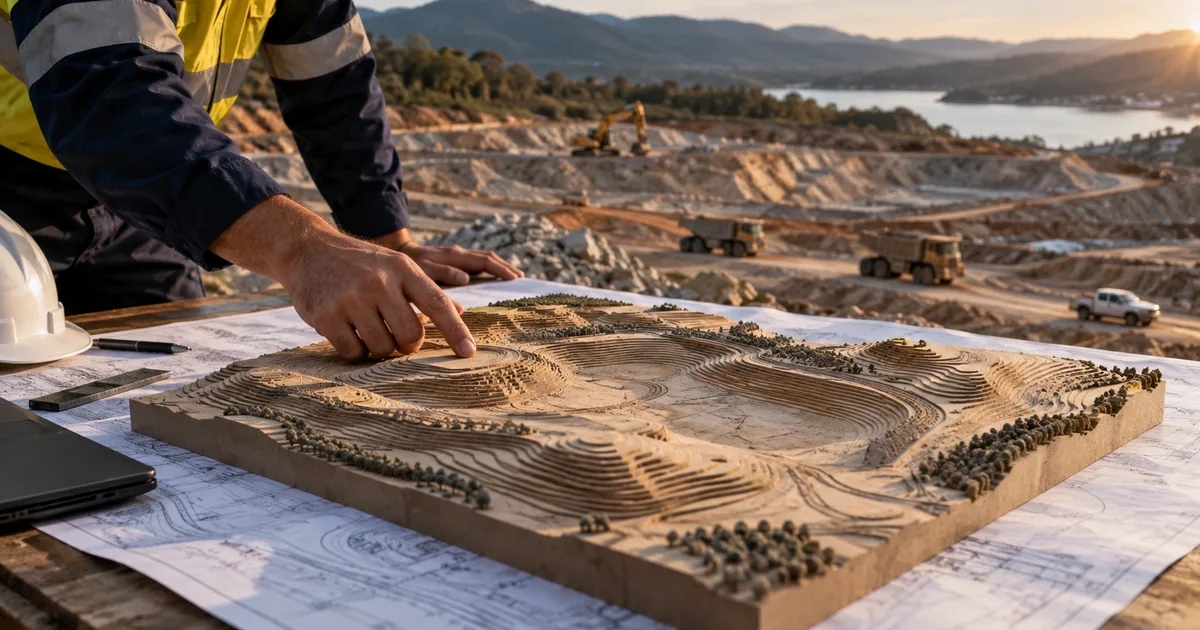
If you are pricing earthworks in a small business, Kubla Cubed is probably already on your shortlist, and it deserves to be. This page puts it next to SitesAI Estimate honestly, including the part where Kubla gives away something we charge for.
Every figure below comes from Kubla's own pages on the date at the bottom of the table. Software changes — check their current pages before you decide.
SitesAI Estimate and Kubla Cubed, side by side
| Feature | SitesAI Estimate | Kubla Cubed |
|---|---|---|
| Where it runs | Any modern browser, on Windows, Mac or a tablet | Windows desktop install — Windows 7, 10 or 11 |
| Free edition | Markup, 3D view, share by link, one design sheet — no volume numbers | Lite: free with no time limit, and it does give you cut and fill volumes |
| Paid price | US$39 per user per month, or US$390 a year | Annual subscription, perpetual licence, or an enterprise agreement for five or more users |
| Plans you can open | PDF, images, DXF read in the browser, DWG converted on our server | PDF, image, CAD and LandXML |
| Existing ground from | Contours and spot levels traced or imported from CAD | Traced levels, point file formats and survey data |
| Design tools | Pads, batters, slopes, trenches, multi-sheet phases | Flat areas in Lite; slopes, paths, roads, trenches and berms are Professional |
| Exports | Excel and single-page PDF on Pro; PNG on Free | Reports, spreadsheets, drawings and CAD/BIM/machine-control on Professional |
| Machine control | No — a deliberate non-goal for us | Yes, on Professional |
| Pricing the job | Rate build-ups, stages and a priced estimate in the same file | Quantities out, pricing elsewhere |
| AI | Claude auto-takeoff you review before it applies, plus a 22-tool AI connector | None published |
| Sharing | View-only link; whoever opens it needs no account | Not published |
Kubla Cubed facts checked against Kubla Cubed prices, Kubla Lite and Professional feature comparison, Kubla Cubed system requirements, Kubla Cubed product page, SitesAI pricing. Software changes — check their current page before you decide.
Think we have something wrong or out of date? Email admin@sitesai.net and we will correct it.
Where Kubla Cubed wins
The free edition actually calculates volumes. Kubla Cubed Lite is free, has no time limit, imports PDF and CAD, and gives you cut and fill numbers. Our free plan deliberately stops short of the volume figure — you can mark up, draw surfaces and spin the 3D view, but the number itself is part of Pro. If your whole requirement is "tell me the cut and fill on this one job and charge me nothing", Lite is a better answer than our free plan, and we would rather say so than pretend otherwise.
Machine-control and CAD export. Kubla Professional exports CAD, BIM and machine-control formats. We do not, and it is not on our roadmap. If your model has to end up in a GPS box on a dozer, that is a real requirement and we are the wrong tool.
Point files and survey data. Kubla imports a range of point file formats and survey data directly. We build existing ground from contours and spot levels you trace or pull out of a CAD file — good for a plan set, less good if a surveyor hands you a point cloud.
A perpetual licence. Kubla sells one. Some businesses would much rather buy software once than rent it, and no amount of subscription maths changes that preference.
Where SitesAI Estimate wins
Nothing to install. Kubla is a Windows desktop application — Windows 7, 10 or 11, per their system requirements. SitesAI Estimate runs in a browser. That matters more than it sounds: it means a Mac in the office, the site supervisor's iPad and the estimator's laptop all open the same job, and there is no IT ticket when a new person starts.
The estimate lives with the takeoff. Kubla gives you quantities. Turning those into a priced job happens somewhere else, usually a spreadsheet. In SitesAI Estimate the volumes become lines in an estimate in the same file, with rate build-ups for labour, plant and materials, and stages you can hand to different contractors. That is the step that eats an afternoon, and it is the step we built for.
Multi-sheet jobs add up properly. Each design sheet is calculated against the cumulative surface of the ones before it, so sheets behave like construction phases and the totals roll up instead of double-counting.
AI you can check. Claude can do a first pass at a takeoff and you review it before anything is applied. Beyond that, the whole app is drivable by an AI assistant through a 22-tool connector — you can ask Claude or ChatGPT to open a project and price it. See Run your earthworks takeoff from Claude or ChatGPT. As far as we can find, no other earthworks takeoff tool offers this.
Share without a licence. Send a view-only link to the builder and they open the 3D model in their browser, with no account and no seat to pay for.
Should you pick Kubla Cubed or SitesAI Estimate?
Pick Kubla Cubed if you are on Windows, you want a free tool that produces volumes, you need machine-control or CAD output, or you would rather buy a perpetual licence than subscribe.
Pick SitesAI Estimate if you want the takeoff and the priced estimate in one place, you work across Macs, PCs and tablets, you want to send jobs to clients as links, or you want an AI assistant to do the first pass and draft the estimate.
Plenty of estimators will reasonably use both: Lite for a quick volume check, and something with pricing and sharing for the jobs they are actually quoting.
Try it on a real plan
The fastest way to decide is to run one of your own plan sets through both. Ours is free to start — sign in with Google or Microsoft, drop in a PDF, and you will know within an afternoon whether it fits the way you price work. Pricing is on the pricing page, and there is a step-by-step walkthrough in Cut and fill from a PDF plan in about ten minutes.
Questions people ask
Is Kubla Cubed really free?
Yes. The Lite edition is free with no time limit and it calculates cut and fill volumes from PDF and CAD drawings. What it does not include is the Professional design tools and every export — reports, spreadsheets, drawings and CAD. Check Kubla's own comparison page for the current split.
Can I run Kubla Cubed on a Mac?
Not according to Kubla's system requirements, which list Windows 7, 10 and 11 only. SitesAI Estimate runs in a browser, so the machine does not matter.
Which one is more accurate?
Both build a triangulated surface and integrate the difference, so on the same input levels they land in the same place. Accuracy comes from your levels and your boundary, not from the badge on the software. Be sceptical of any vendor — us included — who quotes a percentage without showing the test.
Try it on your next plan set — free.
Sign in with Google or Microsoft, add a PDF or DWG/DXF, and see cut and fill in minutes. Pro is US$39 per user per month, the AI plan has a free 14-day trial; cancel any time. What SitesAI Estimate does.